IAM Rate for Freelancers, Students, and Anyone Who Struggles to Stay Organized
A lot of people are busy all day and still feel disorganized. The day starts with a long list, you jump from one task to the next, and by evening you can't say what you got done.
We built IAM Rate (www.iamrate.com) to help with that. It's a simple web app where you plan your day, log the time you spend on each task, and look back at what you did. It also has a Habit Tracker for the routines you want to keep, plus a Plant Care Tracker and a Style Tracker in their own tabs.
It works well for freelancers, students, people with ADHD, and anyone who wants a bit more order in their day.
How a day with IAM Rate works
In the morning, write your tasks in the to-do list. It saves as you type, so there's nothing to forget.
Then pick one task and work only on that. When you finish, add it to your log with the time it took and a category, like Work or School.
At the end of the day, look back at what you logged. The app shows it as a short text summary, a timesheet you can download, and a few simple charts.
For freelancers
With several clients and deadlines, it's easy to lose track of where the hours went. If you log each task when you finish it, you get a clear record of your day. That record makes your week easier to plan, and it's handy when a client asks what you worked on.
For students
Use it to plan homework, study sessions and everything else in your day. Give each study session a set amount of time and stick to it. A planned 45-minute session is much easier to start than a whole evening of "studying," and it helps you build a routine.
For people with ADHD
If focus and organization are hard for you, it helps to have your tasks written down in one place. You can see what to do next without trying to remember it. Working on one task at a time, instead of five half-done ones, can also make big jobs feel smaller.
Routines can be hard to keep, too. The Habit Tracker shows what's due today and what's late, so you don't have to remember which days you skipped.
For anyone who likes to be organized
If you just want more structure, IAM Rate gives you a simple routine: plan the day, log your time, and review it. After a few weeks, you'll see your habits much more clearly.
Build routines with the Habit Tracker
Some things only help if you do them again and again, like a study session, a daily walk or sending invoices every Friday. The Habit Tracker tab keeps track of them for you. Add a habit, pick how often, and click Done today each time you do it.
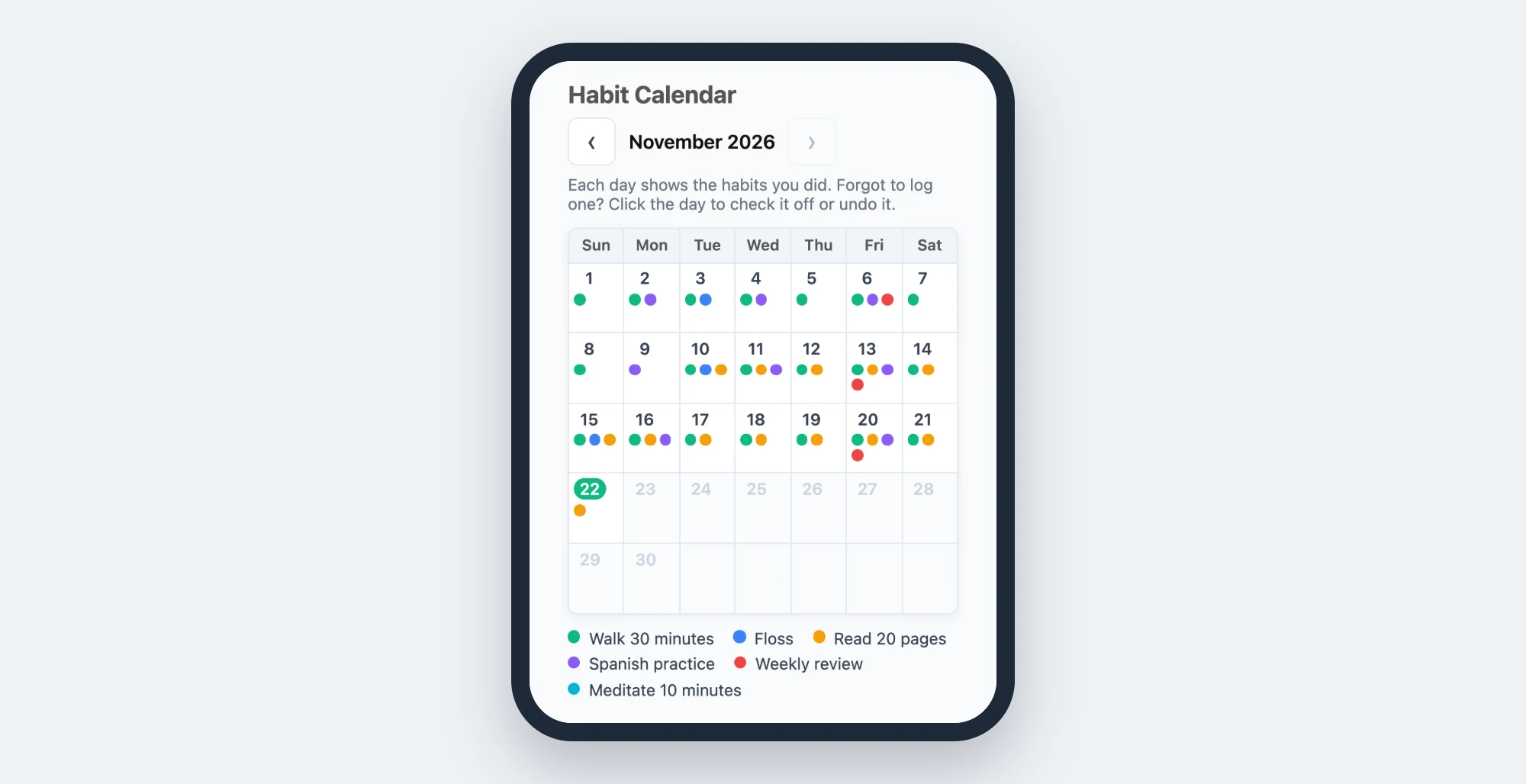
Each habit shows when it's due next. It turns green on the day it's due and red when it's late. A short status tells you how the past week and month went, and a calendar shows every day you did it. On a phone, each habit is a colored dot, so you can see your month at a glance. Read our habit tracker guide to see how it works.
See what you got done
Most time trackers only count hours. IAM Rate also shows what you did with them. You get a daily text log of your tasks, a timesheet, and charts that split your time into categories like Work, Personal, Family and School. You can rename the categories to fit your life.
A little structure helps with procrastination
When you decide ahead of time how long a task should take, it's easier to start. It also helps you notice when a small job is taking over your whole afternoon.
Use it on any device
You can use IAM Rate for free without an account. Your tasks and habits are saved in your browser. With an account, they're saved online, so you can open them on your phone, laptop or tablet.
Want to try it? Go to www.iamrate.com and plan tomorrow there.
Plan your day, do one thing at a time, and look back at what you got done.
Questions and answers
What can I track in the app?
Four things, each in its own tab. The Daily Task Tracker logs your tasks and time. The Habit Tracker helps you build daily habits. The Plant Care Tracker keeps a watering schedule for your plants. The Style Tracker is a fashion diary for the outfits you wear. Everything is free in guest mode and works on your phone.
How do I make a weekly report for my manager?
Add a short note to your tasks as you go. At the end of the week, copy your plain text log or download the CSV and sort it by category. Your hours and notes are already in one place.
Is the app free?
Yes. Guest mode is free and has every feature in every tab, with your tasks, habits, plants and outfits saved in this browser. An account costs $18 a year, which is $1.50 a month, and keeps all of it on all your devices. You can cancel anytime.
Will I lose what I added as a guest if I sign up?
No. When you sign in, the tasks, habits, plants and outfits you added as a guest in that browser move into your account. Until then they are saved only in that browser, so download a CSV of your tasks now and then.
Can I use it on my phone?
Yes. It works in the browser on any phone, tablet or computer. You can also add it to your home screen and open it like an app.
Put this into practice today
Daily Task Tracker is a free to-do list and time tracker. You don't need an account to start. Your tasks save right in your browser.
Go to App